Employee Handbook Attestation, minus the upload.

Your handbook is in Notion, or Drive, or Confluence, or a PDF somewhere. It can stay there. Listor holds a title and a URL and records who signed off. Change the handbook and everyone gets asked again. Leave it alone and the annual sweep asks them anyway. Every one of those is a row in the audit log, and we never see the handbook itself.
$2 / user / month. Free for 10 assigned people. No card.No migration required · No PDF upload · No DPA gate
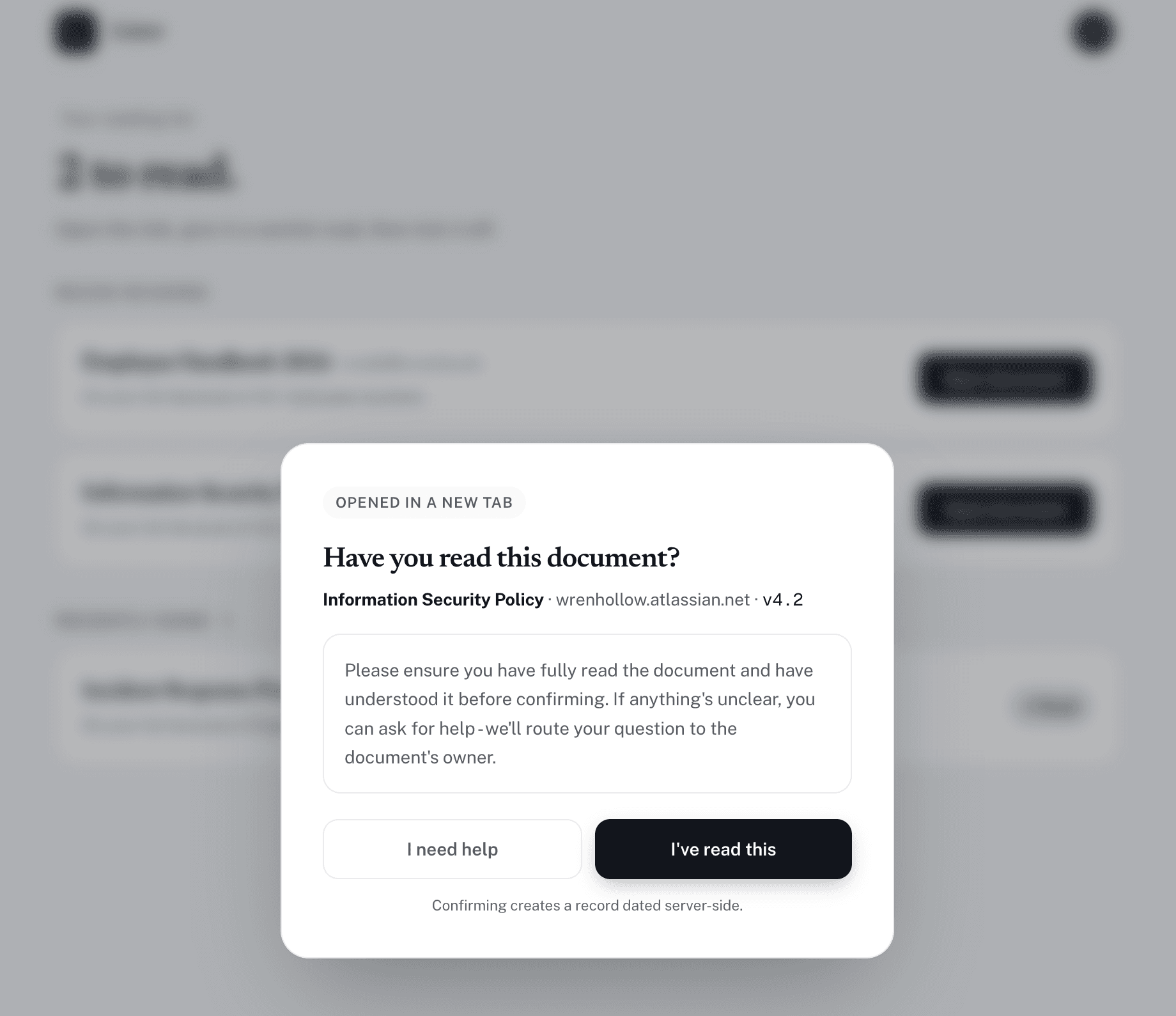
Listor app showing the handbook sign-off modal mid-flow

The handbook opens in a new tab. The confirmation stays on this one.

Most handbook tools begin by asking for an upload.

That's where teams stall. The handbook is already in Notion, Confluence, or a PDF, and there's no version of the project where rewriting it is worth doing. Listor skips the upload entirely.

Point at the URL.

Notion page, Confluence space, Google Drive PDF, intranet. Listor takes a URL and a title. That's the whole import.

Target the right people.

All Employees, or a department, or a role-based group. Everyone joins All Employees on arrival, so new hires get the right list automatically.

Track the sign-off.

Employees click the handbook, read it where it lives, then confirm in Listor. We capture IP, user-agent, and the round the confirmation belongs to.

Builders, LMSes, and e-sign tools.

Handbook-attestation tools split into three camps: handbook-builders (AirMason, Blissbook), LMS-with-policies (Trainual), and generic e-sign (DocuSign). Each works for a slightly different buyer.

ListorAirMasonTrainualDocuSign
Use your existing handbook (Notion / PDF / Drive)--
Sign-off tracking per employee
Auto-trigger when handbook changes---
Annual renewal sweep--
Audit log export
Bundled with handbook-building tools--
Self-serve, free for 10 assigned people---
Frequently asked

Notion, PDFs, new hires, and the annual refresh.

  • We already have a handbook in Notion. Do we have to migrate it?
    No. That's the whole point of Listor: your handbook stays where it is. You give Listor the URL and a title, and we track who read it. Migration is the most common reason teams stall on this; we skip it.
  • What if our handbook is a single PDF stored in Drive?
    Fine. The URL to the PDF works. When someone clicks, Listor opens the PDF in a new tab and a confirmation modal in the current one. We never host the PDF or see its contents.
  • Can we re-trigger attestation when the handbook changes?
    Yes. Edit the document inside Listor, mark it changed, and the force-reattestation flow emails everyone targeted. The previous attestations stay on the record against the earlier round.
  • Do we have to add every section as a separate document?
    Most teams use one Listor document per logically-independent policy (handbook, code of conduct, security policy, etc.) rather than slicing the handbook into chapters. Auditors prefer it; renewals can differ per policy.
  • What about new hires?
    If you target the handbook to the 'All Employees' group, every new hire automatically gets it on their reading list the moment they join the workspace. No onboarding pack to maintain.
  • Can we require sign-off as part of onboarding?
    Yes. Listor emails the new hire when they join, and the reading list shows everything pending. Managers can see who has and has not signed off via the audit log.
  • How do we handle the annual handbook refresh?
    Set the handbook to renew every 12 months. When the window opens, Listor emails everyone targeted, tracks the fresh round of attestations, and records the round each person confirmed in.

Paste the handbook URL and go.

Start free

Free for ten assigned people. No card. The handbook stays where it is.