Onboarding
Invite a new hire. Listor puts them in the right groups, surfaces the reading list automatically, and emails the welcome.
The HR lead who owns this quarter's policy review would rather it owned itself. Listor keeps the sign-off record per person, opens the renewal window when it is due, and re-opens it the moment a policy changes. Everything lands in an audit log you can hand to an auditor.
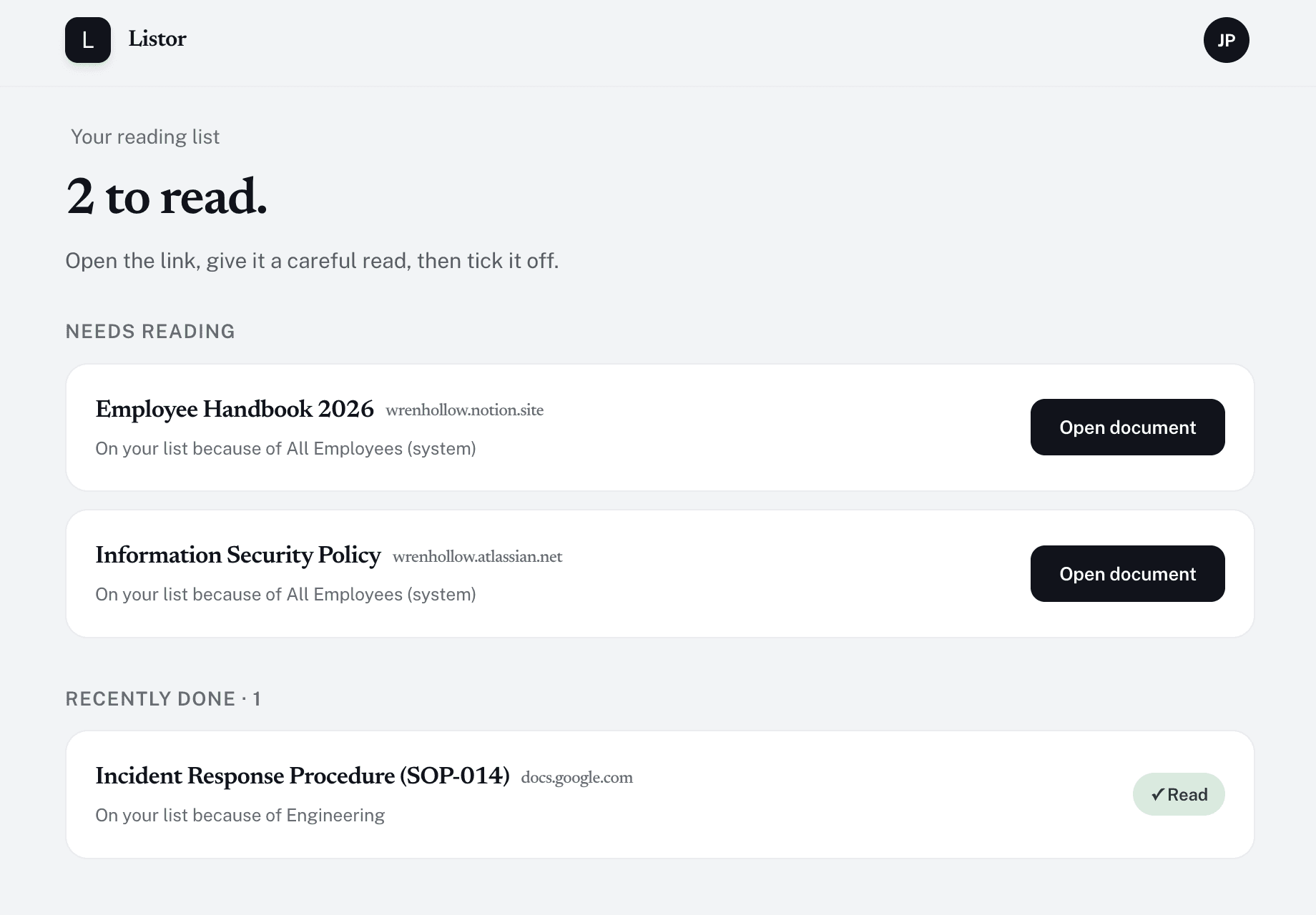
What every employee sees: pending policies at the top, completed below, each stamped with the round it was confirmed in.
Any HR lead who has run an annual review has lived all three of these.
The audit calendar says February. It's February. You sent the handbook in Slack, twelve people clicked the link, and you don't know which twelve.
You added the new policy in Notion. The update email went to everyone. Three weeks later, the senior manager from Accounting asks what update.
Your spreadsheet of signatures from last year's annual review is in your Drive. Somewhere. The auditor needs it by Friday.
Invite a new hire. Listor puts them in the right groups, surfaces the reading list automatically, and emails the welcome.
Edit a doc, mark it changed. Force-reattestation emails go out. The previous round of attestations stays intact underneath the new one, so the audit trail is clean.
Set 12 months on every policy. The annual review month stops being a project. It becomes a dashboard.
Nothing needs assembling. The IP, the timestamp and the round are already on every event, grouped by day in the app, and one click gets you the lot as CSV or JSON.
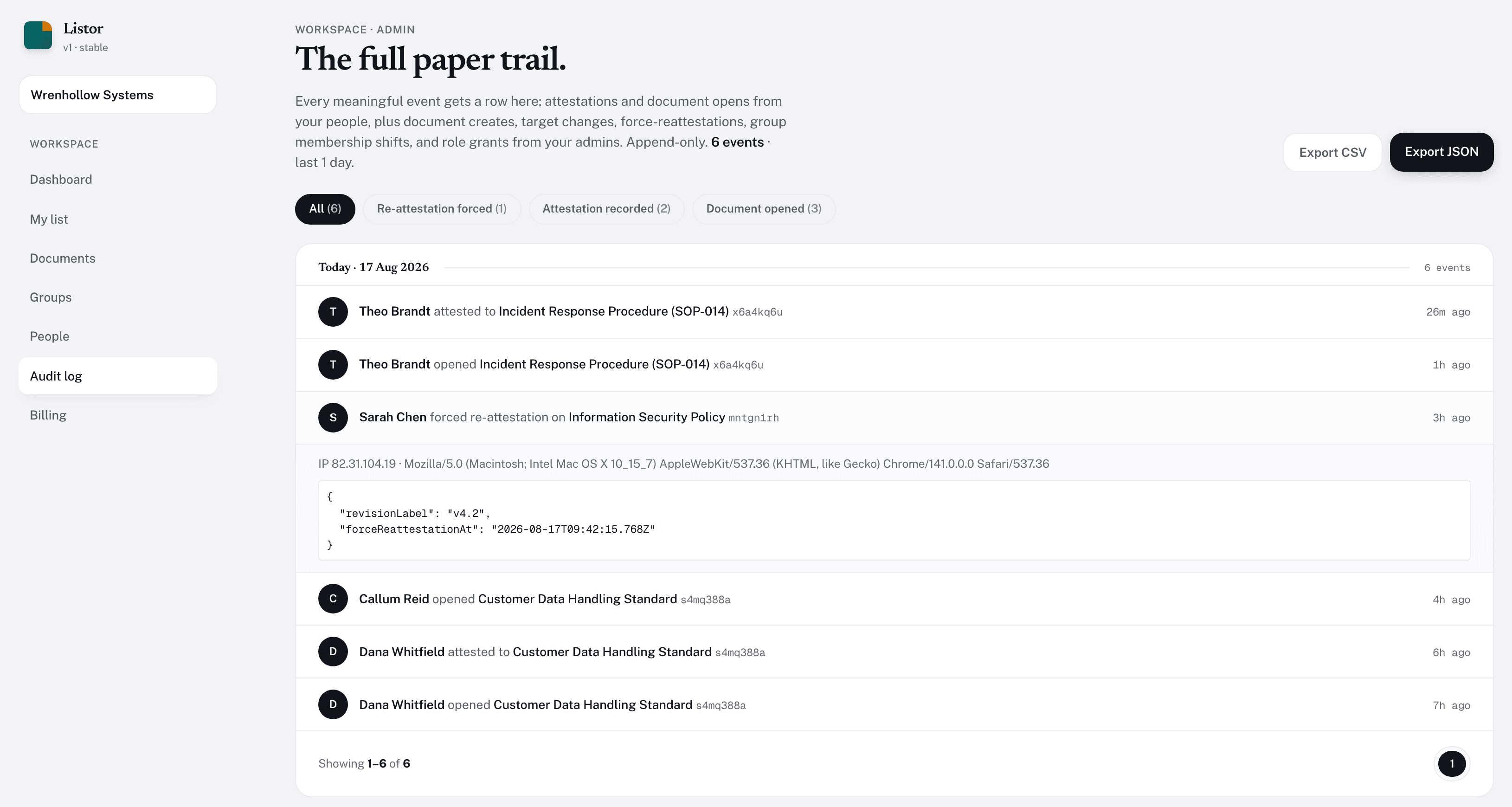
Every row names the person, the document, and the time. Filter by event type and export the lot.
Two dollars per assigned person per month goes on an expense claim without anyone having to open a procurement process. Ten assigned people cost nothing at all on the free tier, and SSO, SCIM and unlimited retention sit one tier up, on Business at $4.
Up to 10 assigned people, 5 documents.
Start freeUnlimited documents, renewals, audit log.
Start freeSSO, custom retention, priority support.
Talk to usFive minutes to set up. Start on the free tier and pay only for the people you put on a document.