Annual Policy Attestation runs on a cadence you set once.

Set a renewal interval per policy and then stop thinking about it. When a window opens, the right people get an email, the fresh round of attestations is tracked against them, and the cycle is written to the audit log. The annual refresh stops being a project.
$2 / user / month. Free for 10 assigned people. No card.Automatic renewals · Per-policy cadence · Audit log included
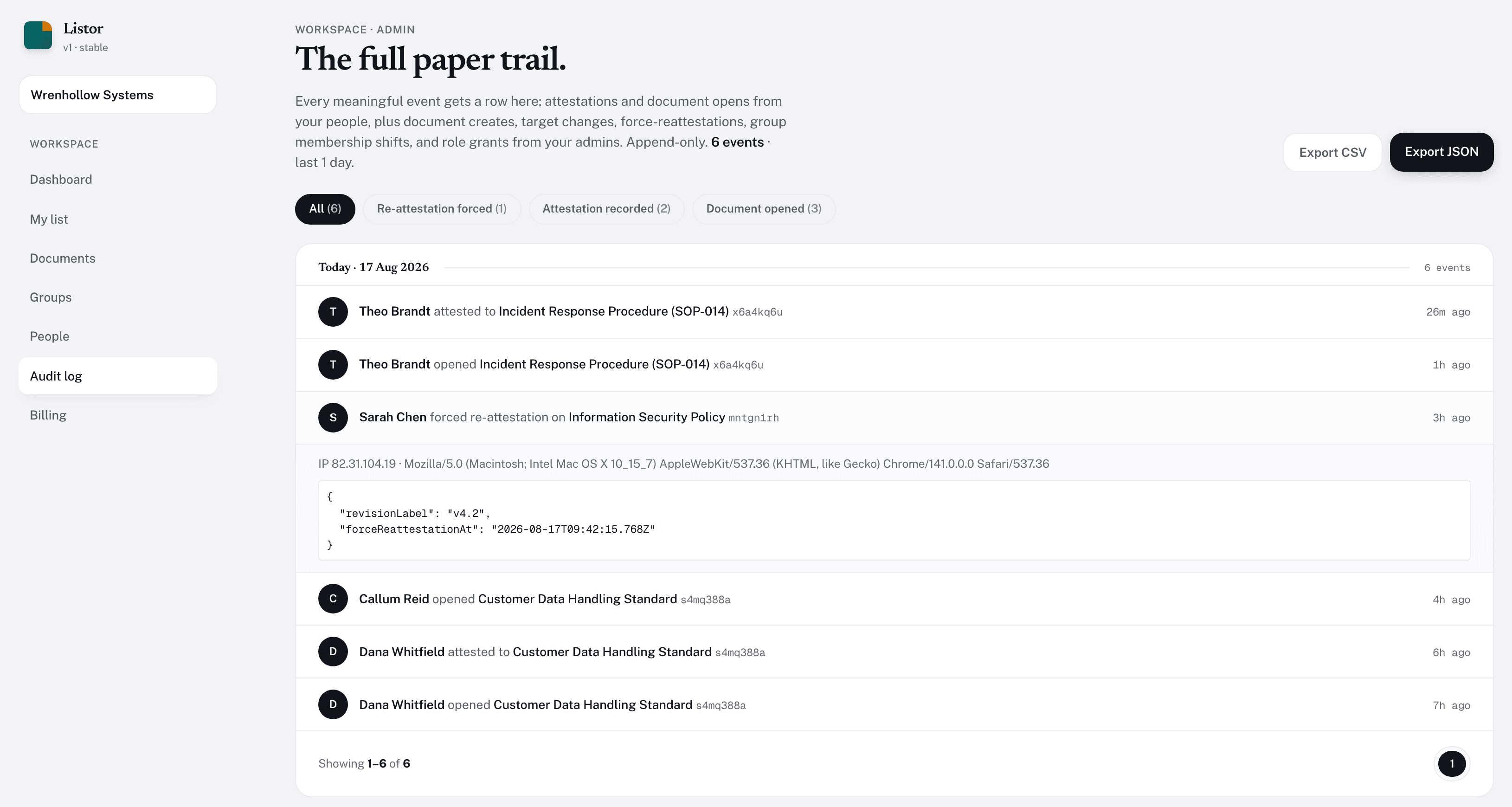
Listor audit log showing a recent renewal sweep

Every renewal cycle lands as a row in the audit log, IP-stamped and round-stamped, ready to export.

The trap

Where the refresh actually hurts.

The annual policy refresh is everyone's least favorite quarter. Listor takes on the three parts that make it that way.

The reminder cadence.

Listor emails when the window opens, then a follow-up if it's still pending after a few days. You don't write the chase emails.

The “who's outstanding” report.

The document detail page shows the pending list in real time. The weekly digest surfaces totals. The audit log gives you the per-person breakdown.

The mid-cycle change.

When you update the policy mid-cycle, Listor knows to force-reattest. The previous round's attestations are preserved so the trail is still clean.

The spreadsheet is why this takes a month.

Renewal tracking comes free with GRC suites (Vanta, Drata) and is missing from e-signature tools. Spreadsheets are what most teams fall back on.

ListorDocuSignSpreadsheetVanta
Per-policy renewal cadence--
Automated email reminders-
Audit log of every renewal cycle-
No quote forms or seat floors-
Free tier for ten assigned people--
Designed for re-attestation, not first-attestation--
Force re-attest on policy change--
Frequently asked

How the sweep behaves.

  • What's the difference between renewal and force-reattestation?
    Renewal happens on a schedule: every N months, Listor automatically opens a new attestation window. Force-reattestation is an admin action you take when a policy changes between renewals. Both write to the audit log; both reset the attestation status.
  • Do we have to trigger the renewal ourselves?
    No. When a policy reaches its renewal interval, Listor marks the current attestations stale, opens a new window, and emails everyone targeted. Nobody has to remember the date.
  • Can different policies renew on different schedules?
    Yes. Each document gets its own renewal interval in months (null means no renewal). It's set at create-time and editable.
  • What if someone is on PTO when their renewal email goes out?
    The reading list shows the policy as pending regardless of email timing. There is no SLA on when an employee must attest. The audit log captures when they actually did. (Customers usually pair this with their own SLA in HR.)
  • Can we run the entire annual refresh in one cycle?
    Yes. Set every policy's renewal interval to 12 months and align the creation dates; the sweep will open them all roughly in the same window. Most teams stagger, though: January for HR, April for security, etc.
  • How do we know who has not attested yet?
    The document detail page shows pending vs. completed counts. The weekly admin digest email surfaces totals and overdue items. The audit log lets you filter for missing attestations by user, group, or document.
  • What does the renewal email actually say?
    It names the document, says the renewal window is open, and links straight to it. If you marked the document changed since the last round, Listor sends the force-reattestation email instead, which says the policy has been updated.

Set the cadence once.

Start free

Free for 10 assigned people. Renewals on Pro, at $2 a head.